National Removals and Storage
Moving Office IT Equipment
IT equipment is often the most valuable and the most time-critical part of an office move. This guide explains who does what, and how to prepare computers, servers and comms cupboards.
- Written scope
- Inventory and access
- Liability and terms
- Named contact and complaints

Written and reviewed by James Sanders, founder of National Removals and Storage
Last reviewed


The short version
The short answer
Your IT provider shuts systems down, backs up data and disconnects and reconnects equipment. We pack, move and place each device at the right desk, ready to reconnect. Computing and data storage devices are only moved when this is specifically agreed, so list them at the survey. Back up everything before the move, label each device and its cables to a desk number, and plan any server shutdown with your IT provider for the end of a working day.
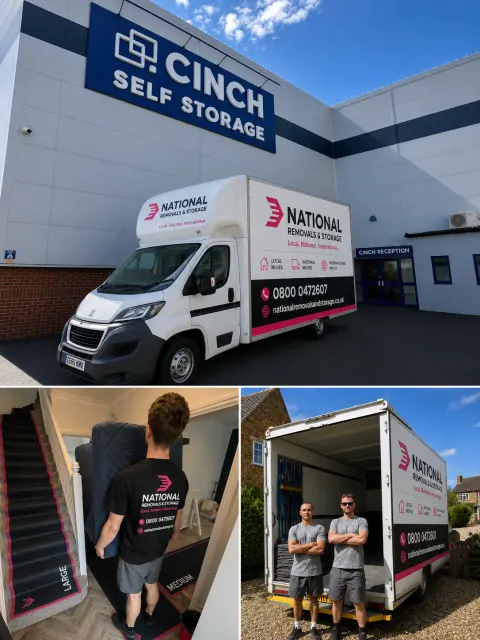 Real team, real vans
Before you book
What to know
The main points, in the order you are likely to need them.
Your IT provider
Shuts systems down, backs up data, disconnects and labels each device, then reconnects everything at the new office.
Our crew
Packs, moves and places each device at the right desk, ready for reconnection. IT equipment must be listed in the quotation.
Server rooms
Plan the shutdown with your IT provider for the end of a working day, and check power, cooling and network in the new room first.
Want us to run these checks with you?
Answer three quick questions and our team will come back with a written quotation.
Hold us to it
Use the same checks when comparing us
A useful checklist should work for every company you consider. Ask us for the same written detail: the agreed inventory, access assumptions, included work, liability terms, payment schedule and the person responsible for your move.
Written scope
Check that the quotation states what is moving, which services are included and what could change the price.
Inventory and access
Make sure stairs, lifts, parking, long carries and unusual items are recorded before move day.
Liability and terms
Read the liability limits, exclusions, cancellation terms and claims process rather than relying on a verbal summary.
Named contact and complaints
Confirm who will coordinate the booking, how changes are recorded and where a complaint can be escalated.
Good questions
Frequently Asked Questions
Answers to common questions about moving office it equipment and how the service works.
Do you disconnect and reconnect computers?
No. Disconnecting and reconnecting IT stays with your IT provider. We pack, move and place the equipment at the right desk.
Will you move servers?
Computing and data storage devices are only moved when this is specifically agreed. Show us the equipment at the survey so it is included in the quotation.
Is lost working time covered if IT is delayed?
No. Business and consequential losses, such as lost trading time, are excluded from cover, so plan IT reconnection carefully with your provider.
What your IT provider does and what we do
Disconnecting and reconnecting IT stays with your IT provider. They shut systems down, back up data, disconnect cables and label each device to its desk. We then pack, move and place the equipment at the right desk in the new office, ready for them to reconnect.
Computing devices and data storage devices are only moved when this is specifically agreed. Tell us about computers, monitors, servers, network cabinets and phones at the survey so they are listed in the quotation.
Read next: Office removals · Office move checklist
Preparing computers and monitors
A little preparation by staff and IT means equipment can be reconnected quickly.
- Back up everything before the move, and do not rely on the only copy travelling in the van.
- Label each computer, monitor, dock and phone with the person's name and new desk number.
- Bag and label cables, keyboards, mice and power supplies with the device they belong to.
- Take laptops, phones and portable drives with your staff rather than packing them.
Server rooms and comms cupboards
Servers, network switches and racks need planning with your IT provider. They decide when systems go down, how equipment is removed from racks, and how the new room is prepared. Plan the shutdown for the end of a working day so systems can be back up before staff return.
Show the surveyor the server room or comms cupboard, with any racks, cabinets or UPS units, so the quote allows the right crew, packing and time. Make sure the new room has power, cooling and network connections before move day.
Read next: Keeping downtime low
Insurance for IT equipment
Standard cover for office removals is up to £10,000 for any one vehicle load, with an excess of £250 a claim. Mechanical or electrical faults with no sign of external damage are excluded, and so are business losses such as lost working time. If your equipment is worth more than the standard limit, ask for additional cover before the move.
Read next: Moving insurance explained · Terms and conditions
Office and business moves
Part of our office and business moves guides
Planning an office relocation, moving IT, keeping the business running and dealing with storage and old furniture.
- Office relocation guide
Dates, roles, quotes, labelling, insurance and phased moves for a business relocation.
- Office move checklist
What to arrange from three months out to the first week in the new office.
- Keeping downtime low
Choosing the date, phased moves, and getting IT and phones working first.
- Business storage for documents and stock
Storage sizes, crate storage and how to box and index records so you can get them back.
- Office furniture reuse and disposal
Reuse, donation, recycling and disposal of furniture you are not taking.
Services and tools for this stage
Moving IT as part of an office move?
Show us the equipment, the server room and the access at the survey, and we will include it in your quotation. Call 0800 007 4564.